NET Incident Command System (ICS) Forms: Difference between revisions
| (11 intermediate revisions by 3 users not shown) | |||
| Line 59: | Line 59: | ||
=== Document Boxes === | === Document Boxes === | ||
The Documentation Unit should have a document box as part of their basic kit. The box is used for storing both blank and completed documents, and is durable enough to keep them safe and dry. PBEM will purchase one document box for a team; to request one, the Team Leader should use the request survey HERE and indicate that they need a document box. | The Documentation Unit should have a document box as part of their basic kit. The box is used for storing both blank and completed documents, and is durable enough to keep them safe and dry. PBEM will purchase one document box for a team; to request one, the Team Leader should use the request survey [https://app.smartsheet.com/b/form/1c4c750a8edd4017a75725b92377f9c4 HERE] and indicate that they need a document box. | ||
Document boxes come in different shapes and sizes. A Team Leader or Documentation Unit should research what they think they need and make that request to PBEM. Document boxes provided by PBEM will be asset-tracked and the Team Leader is accountable to periodically confirming that the team still possesses it. | Document boxes come in different shapes and sizes. A Team Leader or Documentation Unit should research what they think they need and make that request to PBEM. Document boxes provided by PBEM will be asset-tracked and the Team Leader is accountable to periodically confirming that the team still possesses it. | ||
| Line 79: | Line 79: | ||
The most important forms to a NET are forms 1 through 4. Forms 5 through 8 supplement work at specific stations (e.g. radio, medical, logistics, etc). Any form filled out and no longer of use should be kept for handing in to PBEM. | The most important forms to a NET are forms 1 through 4. Forms 5 through 8 supplement work at specific stations (e.g. radio, medical, logistics, etc). Any form filled out and no longer of use should be kept for handing in to PBEM. | ||
Forms 1, 3, and 4 flow in a way that outlines an anticipated NET response (Figure 1). The first form, [ | Forms 1, 3, and 4 flow in a way that outlines an anticipated NET response (Figure 1). The first form, [[NET Incident Command System (ICS) Forms#NET Form 1: Damage Assessment Form|Damage Assessment]], is used by NET volunteers traveling to the NET Staging Area; volunteers record observed damage and other trouble spots along the way. | ||
Form 3, the [ | Form 3, the [[NET Incident Command System (ICS) Forms#NET Form 3: Team Leader Assignment Tracking|Team Leader Assignment Tracking Log]], acts as a “dashboard” for the Incident Team Leader. Working with his/her team, the ITL transfers any potential area of response from Damage Assessment forms collected from the team onto the Tracking Log. This tool thereby helps the ITL easily track each functional team deployed from the NET staging area. | ||
Form 4, the [ | Form 4, the [[NET Incident Command System (ICS) Forms#NET Form 4: Assignment Briefing|Assignment Briefing]], is filled out by the ITL when ready to deploy a functional team to respond to an item on the Tracking Log. On the front, the Assignment Log has spaces for giving the functional team the information they need to get to the scene quickly and safely. The functional team then records their response actions on the reverse side, and turn the form in to the ITL when they return to the NET Staging Area. The ITL reviews the reverse side, transferring relevant details to their Tracking Log. ITL then archives the Assignment Briefing with the Documentation Unit. | ||
=== When does the DAMM come into play? === | === When does the DAMM come into play? === | ||
| Line 101: | Line 101: | ||
=== All Forms Single Download === | === All Forms Single Download === | ||
A single PDF with all forms is available for download by clicking --> [[Media: | A single PDF with all forms is available for download by clicking --> [[Media:2025 NET ICS Forms Packet.pdf|HERE]]. The single packet makes it easier to study the forms closely. The packet includes only the forms below that are in a yellow table row. | ||
=== NET Form 1: Damage Assessment Form === | === NET Form 1: Damage Assessment Form === | ||
| Line 123: | Line 123: | ||
|} | |} | ||
The Damage Assessment Form is the most essential form in a volunteer’s kit. A volunteer uses the form to record damage observed in a neighborhood (such as fires, utility hazards, structural damage, injuries and casualties, and available access) while moving through the area to the NET Staging Area. Upon arriving at the NET Staging Area, the volunteer turns the Damage Assessment Form in to the Incident Team Leader. The ITL then uses all the Damage Assessment Forms to prioritize plans and action items (reflected on [ | The Damage Assessment Form is the most essential form in a volunteer’s kit. A volunteer uses the form to record damage observed in a neighborhood (such as fires, utility hazards, structural damage, injuries and casualties, and available access) while moving through the area to the NET Staging Area. Upon arriving at the NET Staging Area, the volunteer turns the Damage Assessment Form in to the Incident Team Leader. The ITL then uses all the Damage Assessment Forms to prioritize plans and action items (reflected on [[NET Incident Command System (ICS) Forms#NET Form 4: Assignment Briefing|Form 4: Team Leader’s Assignment Tracking Log]]). | ||
Thanks to insight from drills and exercises, NET volunteers redesigned this form to support consolidation of information at staging areas and to facilitate more efficient radio communications. Those redesigns are represented below in Forms 1B-1, 1B-2, and 1C. Use of these versions of the forms are ''optional'' and to the discretion of an ITL. | Thanks to insight from drills and exercises, NET volunteers redesigned this form to support consolidation of information at staging areas and to facilitate more efficient radio communications. Those redesigns are represented below in Forms 1B-1, 1B-2, and 1C. Use of these versions of the forms are ''optional'' and to the discretion of an ITL. | ||
| Line 172: | Line 172: | ||
|} | |} | ||
Volunteers may use these versions as alternatives to [ | Volunteers may use these versions as alternatives to [[NET Incident Command System (ICS) Forms#NET Form 1: Damage Assessment Form|NET ICS Form 1: Damage Assessment]] if their Incident Team Leader approves. PBEM encourages NETs to test out the different versions of the forms in exercises. ITLs can direct teams to use 1B-1 or 1B-2 based on the type of search they are conducting or whether they are observing single-family buildings, apartments, or condominiums. | ||
'''NET Form 1B-1: Individual Situation Report by Category''' has a column tallying each type of damage and a column for recording the addresses where the damage was observed. This version may be an appropriate choice where there appears to be many cases of certain types of damage and the locations of such damage needs to be recorded quickly (e.g. flooding created by a leaking water main). | '''NET Form 1B-1: Individual Situation Report by Category''' has a column tallying each type of damage and a column for recording the addresses where the damage was observed. This version may be an appropriate choice where there appears to be many cases of certain types of damage and the locations of such damage needs to be recorded quickly (e.g. flooding created by a leaking water main). | ||
| Line 194: | Line 194: | ||
|This form is designed for double-sided printing. Designed by NET Radio Training Liaisons. | |This form is designed for double-sided printing. Designed by NET Radio Training Liaisons. | ||
|[[File:Form 1B-2 Individual Situation Report by Dwelling.jpg|border|center|frameless|150x150px]] | |[[File:Form 1B-2 Individual Situation Report by Dwelling.jpg|border|center|frameless|150x150px]] | ||
|} | |}<hr> | ||
=== NET Form 1c: Team Situation Report with Totals === | === NET Form 1c: Team Situation Report with Totals === | ||
| Line 290: | Line 289: | ||
<span style="background:#FFFF00">'''SUVs should sign in with NET Form 2a just as regular NET volunteers and ATVs do.'''</span> | <span style="background:#FFFF00">'''SUVs should sign in with NET Form 2a just as regular NET volunteers and ATVs do.'''</span> | ||
A space is provided for an [ | A space is provided for an [[NET Incident Command System (ICS) Forms#Tracking Numbers|Assignment Tracking Number]] if a volunteer is given a field assignment with a tracking number from [[NET Incident Command System (ICS) Forms#NET Form 4: Assignment Briefing|NET Form 4]]. If a volunteer works more than one assignment and the team uses tracking numbers for assignments, PBEM recommends checking a volunteer out of one assignment and then checking them in for the next assignment. | ||
A special note on check out times: '''please be sure that all volunteers check out!''' A volunteer who does not check out is effectively “missing” and unaccounted for, which can lead to wasted time and resources locating the volunteer. | A special note on check out times: '''please be sure that all volunteers check out!''' A volunteer who does not check out is effectively “missing” and unaccounted for, which can lead to wasted time and resources locating the volunteer. | ||
| Line 383: | Line 382: | ||
When at a NET staging area, volunteers turn in their damage assessment forms (Form 1). The TL uses information from the collected assessment forms to make decisions on where to deploy resources. Form 3 summarizes and tracks where those resources go. | When at a NET staging area, volunteers turn in their damage assessment forms (Form 1). The TL uses information from the collected assessment forms to make decisions on where to deploy resources. Form 3 summarizes and tracks where those resources go. | ||
On the [[Media:Form 3.Assignment Tracking Log.filled.pdf|filled-out example]] of this form, note the two blanks circled in red; these are optional inputs. A tracking number may be assigned by a TL to an operation in order to associate that operation between forms. For example, a fire extinguisher may be checked out for operation 001. On the Equipment Inventory ([ | On the [[Media:Form 3.Assignment Tracking Log.filled.pdf|filled-out example]] of this form, note the two blanks circled in red; these are optional inputs. A tracking number may be assigned by a TL to an operation in order to associate that operation between forms. For example, a fire extinguisher may be checked out for operation 001. On the Equipment Inventory ([[NET Incident Command System (ICS) Forms#NET Form 7: Equipment Inventory|Form 7]]), “001” is associated with that fire extinguisher as it is checked out and back in. Again, this is optional; it is intended to help keep the Staging Area personnel organized. | ||
Also in the example the two functional teams are given their own designations (“Blue Team” and “Orange Team”). This is done to help prevent them getting mixed up over radio traffic. These designations are optional. | Also in the example the two functional teams are given their own designations (“Blue Team” and “Orange Team”). This is done to help prevent them getting mixed up over radio traffic. These designations are optional. | ||
Again, this form is used as a dashboard for summarizing and tracking. The details of an assignment are placed on [ | Again, this form is used as a dashboard for summarizing and tracking. The details of an assignment are placed on [[NET Incident Command System (ICS) Forms#NET Form 4: Assignment Briefing|Form 4: Assignment Briefing]]. | ||
{| class="wikitable" border="1" style="width:50%" | {| class="wikitable" border="1" style="width:50%" | ||
|+ | |+ | ||
| Line 426: | Line 425: | ||
The purpose of NET Form 4 is to provide a functional team with relevant information about their mission, and to provide a space to record details of mission results for the ITL and professional responders. | The purpose of NET Form 4 is to provide a functional team with relevant information about their mission, and to provide a space to record details of mission results for the ITL and professional responders. | ||
Using information from [ | Using information from [[NET Incident Command System (ICS) Forms#NET Form 3: Team Leader Assignment Tracking|NET Form 3]], the ITL fills out Form 4 as completely as possible. Over the course of an operation, a scribe records the relevant decisions and actions of the NET on the reverse side. When the operation is concluded, the completed form is turned in to the Team Leader. | ||
Completed Assignment Briefings become part of the documentation that the NET relays to the ECC and/or professional emergency responders. | Completed Assignment Briefings become part of the documentation that the NET relays to the ECC and/or professional emergency responders. | ||
| Line 477: | Line 476: | ||
''<u>PDF download options</u>:'' | ''<u>PDF download options</u>:'' | ||
* [ | * [[Media:Form 5a.Medical TreatmentArea.pdf|Color, blank]] | ||
|The form is designed to be printed double-sided. | |The form is designed to be printed double-sided. | ||
|[[File:Form 5.MedicalTreatmentArea.jpg|border|center|frameless|155x155px]] | |[[File:Form 5.MedicalTreatmentArea.jpg|border|center|frameless|155x155px]] | ||
| Line 520: | Line 519: | ||
''<u>PDF download options</u>:'' | ''<u>PDF download options</u>:'' | ||
* [ | * [[Media:Form 5b.Individual Treatment Record.pdf|Color, blank]] | ||
|This form should invariably be printed double-sided. This form was designed by Marcel Rodriguez (Arnold Creek NET) for Portland NET. | |This form should invariably be printed double-sided. This form was designed by Marcel Rodriguez (Arnold Creek NET) for Portland NET. | ||
|[[File:Form 5b.Individual Treatment Record.jpg|border|center|frameless|155x155px]] | |[[File:Form 5b.Individual Treatment Record.jpg|border|center|frameless|155x155px]] | ||
| Line 551: | Line 550: | ||
* When the operator checks into or out of a net. | * When the operator checks into or out of a net. | ||
* When the operator reads a [ | * When the operator reads a [[NET Incident Command System (ICS) Forms#NET Form 8: General Message|NET Form 8]] to another operator or transcribes one being read by another operator. When such a message is logged, the tactical call sign of the person reading the message should be placed in the '''From''' field and the tactical call sign of the person receiving and transcribing the message should be placed in the '''To''' field. Information from the [[NET Incident Command System (ICS) Forms#NET Form 8: General Message|Form 8]] should be placed in the right-hand field as described in the column header. | ||
* When the operator changes frequency. | * When the operator changes frequency. | ||
* When operator and logger changes with name and callsign of new person. | * When operator and logger changes with name and callsign of new person. | ||
| Line 568: | Line 567: | ||
''<u>PDF download options</u>:'' | ''<u>PDF download options</u>:'' | ||
* [ | * [[Media:Form 6a.Radio Communication Log.pdf|Blank, pages 1 and 2]] | ||
* [ | * [[Media:Form 6b.Radio Comm Log Continued.pdf|Blank, pages 3 and up]] | ||
* [[Media:NET Form 6 Fillable Numbered With Continuation Pages.pdf|Computer fillable, pages 1 to 6]] | * [[Media:NET Form 6 Fillable Numbered With Continuation Pages.pdf|Computer fillable, pages 1 to 6]] | ||
|This can be printed single sided or double sided. Referring to the list of downloads to the left: the first on the list is the first two pages of a log, which can be printed front/back on one sheet. The second download is for the third page and any page after; they can also be printed on one page front/back. | |This can be printed single sided or double sided. Referring to the list of downloads to the left: the first on the list is the first two pages of a log, which can be printed front/back on one sheet. The second download is for the third page and any page after; they can also be printed on one page front/back. | ||
|[[Form 6.Radio Communication Log.jpg|border|center|frameless|155x155px]] | |[[File:Form 6.Radio Communication Log.jpg|border|center|frameless|155x155px]] | ||
|} | |} | ||
<hr> | <hr> | ||
| Line 606: | Line 605: | ||
!Thumbnail | !Thumbnail | ||
|- style="background: lightyellow" | |- style="background: lightyellow" | ||
|'''NET ICS Form 7: Equipment Inventory''' | |'''[[Media:Form 7.Equipment Inventory.pdf|NET ICS Form 7: Equipment Inventory]]''' | ||
|This form is designed for double sided printing. | |This form is designed for double sided printing. | ||
|[[File:Form 7.Equipment Inventory.jpg|border|center|frameless|155x155px]] | |[[File:Form 7.Equipment Inventory.jpg|border|center|frameless|155x155px]] | ||
|} | |} | ||
<hr> | <hr> | ||
=== NET Form 8: General Message === | === NET Form 8: General Message === | ||
{| class="wikitable" border="1" style="float:right; width:25%" | {| class="wikitable" border="1" style="float:right; width:25%" | ||
| Line 655: | Line 654: | ||
!Thumbnail | !Thumbnail | ||
|- style="background: lightyellow" | |- style="background: lightyellow" | ||
|'''[ | |'''[[Media:Form 8.General Message.pdf|NET ICS Form 8: General Message]]''' | ||
|The benefit of this format is that it lays out the text so AROs, particularly regional subnet control operators, can easily and quickly transmit an email message over amateur radio using [[Winlink]]. | |The benefit of this format is that it lays out the text so AROs, particularly regional subnet control operators, can easily and quickly transmit an email message over amateur radio using [[Winlink]]. | ||
|[[File:Form 8.General Message.jpg|border|center|frameless|155x155px]] | |[[File:Form 8.General Message.jpg|border|center|frameless|155x155px]] | ||
|- | |- | ||
|'''[ | |'''[[Media:Form 8.FEMA ICS Form 213.pdf|FEMA ICS Form 213]]''' | ||
|The original FEMA ICS 213; this version is fillable electronically. Also includes completion instructions on the reverse side. | |The original FEMA ICS 213; this version is fillable electronically. Also includes completion instructions on the reverse side. | ||
|[[File:Form 8.FEMA213.jpg|border|center|frameless|155x155px]] | |[[File:Form 8.FEMA213.jpg|border|center|frameless|155x155px]] | ||
|- | |- | ||
|'''[ | |'''[[Media:Form 8.retiredNETversion.pdf|NET ICS Form 8: General Message]]''' | ||
''(old version)'' | ''(old version)'' | ||
|Retired 2022.09.29. This is an obsolete NET version, but available for those preferring this format. This form must be printed double-sided and cut in half. The initial message is written on the front with the response written on the reverse side. | |Retired 2022.09.29. This is an obsolete NET version, but available for those preferring this format. This form must be printed double-sided and cut in half. The initial message is written on the front with the response written on the reverse side. | ||
| Line 687: | Line 686: | ||
===== Q: Do I need to have a copy of ''every'' ICS form in my kit? ===== | ===== Q: Do I need to have a copy of ''every'' ICS form in my kit? ===== | ||
''A: No. You should have copies of forms only relevant to your position on the NET. Every NET volunteer should keep three copies of [ | ''A: No. You should have copies of forms only relevant to your position on the NET. Every NET volunteer should keep three copies of [[NET Incident Command System (ICS) Forms#NET Form 1: Damage Assessment Form|NET Form 1]] and it's not a bad idea to have a couple copies of [[NET Incident Command System (ICS) Forms#NET Form 8: General Message|NET Form 8]] as well. You only need the other forms if they're relevant to your position. For example, if you're the Team ARO, you should have several copies of NET Form 6. If you're going to do any medical treatment, you should have a few copies of NET Forms 5a and 5b, and so on.'' | ||
===== Q: Will PBEM print copies for me of a response form not on this page? ===== | ===== Q: Will PBEM print copies for me of a response form not on this page? ===== | ||
''A: Yes, probably. On the bottom of the [https://app.smartsheet.com/b/form/1c4c750a8edd4017a75725b92377f9c4 Request Page] is an option to upload files. Simply ask your Team Leader to upload what you want printed there.'' | ''A: Yes, probably. On the bottom of the [https://app.smartsheet.com/b/form/1c4c750a8edd4017a75725b92377f9c4 Request Page] is an option to upload files. Simply ask your Team Leader to upload what you want printed there.'' | ||
Latest revision as of 18:56, 24 March 2026
| If you are a NET Team Leader and need to order ICS forms for your team from PBEM, CLICK HERE to order |
.jpg)
ICS forms provide a template to NET volunteers for documenting activities during a deployment. Though efforts to save life and property take priority over documentation, documenting activities is nonetheless important and should be a routine part of NET training, drills, and response. Documentation serves several crucial functions:
- Documentation passed to other emergency responders helps them understand the status of resources, allowing them to deploy their own resources effectively and appropriately. Good documentation saves time, and therefore, lives.
- Documentation of liability exposure for volunteers.
- Improved communication between functional areas and functional teams, and between shifts.
- Thorough documentation facilitates reimbursements from FEMA.
The purpose of this NETwiki page is to specify the recommended ICS forms and explain how volunteers use forms. This page also serves as a one-stop repository for downloading latest versions of the forms.
...
...
It is accepted and understood that ICS forms are not required for documenting operations. In a pinch a sheet of ordinary notebook paper will suffice, or even the back of a paper plate. The benefit of using forms is that they guide NET volunteers to document the most relevant information. In this respect, ICS forms are not so much cumbersome paperwork as they are a helpful tool.
...
The Role of the Scribe

PBEM recommends that each Operations Plan anticipate the need for scribes during operations. Otherwise the responsibility of completing forms and ensuring volunteers keep proper documentation falls to rescuers; meaning, documentation may not happen at all because rescuers must focus on rescuing.
Note that a scribe is not the same as the Documentation Unit. Volunteers from the Documentation Unit can act as scribes, but their primary responsibility is collecting and keeping documents and recording information. More information on the Documentation Unit at: VSF 07.02: Documentation Unit.
Teams often include volunteers enthusiastic to serve but who do not feel physically ready to engage hands-on in search and rescue tasks such as cribbing, lifting, or other activities requiring physical exertion. Acting as the scribe for the NET is a great job for them. An ideal scribe is familiar with ICS forms and the ICS framework. However, acting as a scribe is also a task that NETs can delegate to an SUV with little just-in-time training (note that opinions differ on this point; some feel strongly that SUVs do not understand operations enough to act adequately as scribes).
PBEM recommends a NET have at least one scribe for the NET Staging Area, and one scribe each for the functional teams conducting search and rescue operations. For example, a Team Leader deploys five NET volunteers to a community center after an earthquake to search for survivors. Four of those volunteers do cribbing, victim carries, extrication, and so forth; the fifth volunteer documents the activities of the other four (and perhaps also communicate with the Staging Area via radio). In this way, the important work of documentation gets done without diverting the attention of those volunteers carrying out rescue activities.
Volunteers should never throw away completed forms. Forms serve as a response record and will be important when requesting reimbursement from FEMA.
| ❧ Side Note: AROs particularly need a scribe. The documentation load can get heavy when handling message requests, requests for information, and keeping a log. The log needs items entered with time stamps and an ARO may be handling multiple loggable items over the course of a few minutes. AROs should consider recording their radio traffic so that logs can be reviewed and updated after their shift. |
...
Form Design and Printing Considerations
NET ICS Forms are based on, but are not identical to, standard CERT ICS Forms provided by FEMA in the CERT textbook. Over the years, exercises using FEMA forms have prompted NET volunteers to add forms to the forms packet (such as Form 2b and 5b) and tweak existing ones to better suit NET volunteers. NET ICS Forms differ from FEMA's CERT ICS forms in the following ways.
Tracking Numbers
As an option, NETs may use the tracking number spaces provided on some forms. Forms 2a through 5b provide a space for an arbitrarily assigned tracking number. Tracking numbers are for internal team use; therefore, a NET Incident Team Leader can decide on whatever number convention works best (e.g. 0001, or simply “1”, etc). Tracking numbers connect forms to each other where those forms are used on a specific mission; in other words, the tracking number is the same as a “mission number”. Assigning mission numbers may make it easier for teams and emergency professionals reviewing documents to connect events.
For example, let’s say that a Team Leader sends one functional team to conduct search and rescue in a house (tracking number #001) and another functional team to establish radio communication (tracking number #002). Any forms associated with those respective missions (e.g. a medical treatment log or an assignment briefing) will also include their mission tracking number. Later, when reviewing documents, a Team Leader knows that any document with the number “#001” on it is associated with the house search and rescue mission.

Form Heading Colors
Unlike FEMA ICS Forms, NET Form types are grouped and the groups are color-coded. Cognitive scientists know that color-coding highlights organization and guides cognitive processing. In this way color-coding reduces extraneous mental processing demands, and that can be helpful in the midst of an emergency response.
However, printing the forms in color is only a recommendation and NOT a requirement. Printer ink is expensive. You're probably out of cyan ink right now. Therefore, all forms are printable in black and white.
Weatherproof Paper
Oregon's notoriously damp weather means PBEM discourages printing forms on regular paper if possible. In a disaster, volunteers may find themselves working outdoors and rain will quickly render forms on regular paper into a mess of illegible pulp. Therefore, PBEM recommends printing ICS forms on Rite in the Rain paper or other waterproof paper. Note that form scribes should use ballpoint pen or pencil on weatherproof paper; other inks do not dry on the paper and easily smear.
This advice applies only to forms for an actual response. PBEM encourages printing forms on regular paper for use during exercises and training.
Document Boxes
The Documentation Unit should have a document box as part of their basic kit. The box is used for storing both blank and completed documents, and is durable enough to keep them safe and dry. PBEM will purchase one document box for a team; to request one, the Team Leader should use the request survey HERE and indicate that they need a document box.
Document boxes come in different shapes and sizes. A Team Leader or Documentation Unit should research what they think they need and make that request to PBEM. Document boxes provided by PBEM will be asset-tracked and the Team Leader is accountable to periodically confirming that the team still possesses it.
Form Packets and Ordering
When PBEM first released the NET ICS Forms, there was a "standard packet file" that included the minimum recommended number of each form that NETs could download and print. However, that standard packet has been discontinued in favor of giving teams an opportunity to decide how many of each form they need and requesting that from PBEM instead.
PBEM has a NET ICS Forms request sheet at THIS LINK. A NET Team Leader can use the request sheet to order ICS Forms and have them delivered to one address. The following policies should be noted when requesting forms:
- Only a NET Team Leader can make a request. The TL should order all forms needed for one team and then distribute the forms to Team Members. PBEM will not complete orders for individual Team Members.
- PBEM staff complete orders once every two months unless you indicate you need a rush on this request (checkbox at the bottom of the form). Non-rush orders are processed on the last days of February, April, June, August, October, and December.
- A rush order still needs a week for printing and mailing.
- Order fulfillment is subject to available PBEM budget resources.
- Forms designed as double sided will be printed as double sided.
...
Documentation Flow

The most important forms to a NET are forms 1 through 4. Forms 5 through 8 supplement work at specific stations (e.g. radio, medical, logistics, etc). Any form filled out and no longer of use should be kept for handing in to PBEM.
Forms 1, 3, and 4 flow in a way that outlines an anticipated NET response (Figure 1). The first form, Damage Assessment, is used by NET volunteers traveling to the NET Staging Area; volunteers record observed damage and other trouble spots along the way.
Form 3, the Team Leader Assignment Tracking Log, acts as a “dashboard” for the Incident Team Leader. Working with his/her team, the ITL transfers any potential area of response from Damage Assessment forms collected from the team onto the Tracking Log. This tool thereby helps the ITL easily track each functional team deployed from the NET staging area.
Form 4, the Assignment Briefing, is filled out by the ITL when ready to deploy a functional team to respond to an item on the Tracking Log. On the front, the Assignment Log has spaces for giving the functional team the information they need to get to the scene quickly and safely. The functional team then records their response actions on the reverse side, and turn the form in to the ITL when they return to the NET Staging Area. The ITL reviews the reverse side, transferring relevant details to their Tracking Log. ITL then archives the Assignment Briefing with the Documentation Unit.
When does the DAMM come into play?
..........Main article: Damage Assessment Mapping Module
The Damage Assessment Mapping Module (DAMM) is a smartphone-based survey tool designed similarly to NET Form 1. In the aftermath of a disaster PBEM expects NETs to use the DAMM if possible both before and after internet service returns.
This raises some questions, however, because an ITL will not have access to information inputted to the DAMM during a disaster (the dashboard is hidden from public view to protect survivors). PBEM recommends the following course of action: ITLs should order the prioritization of paper form use for damage assessments (NET Form 1 or NET Forms 1b and 1c) and order the Documentation Unit input completed NET Form 1s into the DAMM as soon as possible. Doing so will help ensure the ECC receives the situational awareness needed to make resource decisions.
Once the response moves into the early Recovery stage, NETs should use the DAMM exclusively and turn away from paper forms.
...
NET ICS Form Instructions and Descriptions
The section that follows is divided across the different forms available to volunteers. In each section is a basic description of the form, with a table in the righthand margin describing which volunteer position(s) carry that form, how many PBEM recommends they keep in their kit, and the position the form is turned in to.
Following the form description is a table with several rows; each row is a version of the form available for download with the most current version in the table row highlighted in yellow. Older versions of a form, or alternative versions, are made available for download in case volunteers prefer those older or alternative versions. When in doubt, download the version in the yellow row.
All Forms Single Download
A single PDF with all forms is available for download by clicking --> HERE. The single packet makes it easier to study the forms closely. The packet includes only the forms below that are in a yellow table row.
NET Form 1: Damage Assessment Form
| NET Form 1: Damage Assessment Form | |
| Completed by: | All volunteers |
| Kit qty: | 3+ |
| Turned in to: | Incident Team Leader |
| CERT/ICS Form equivalent: | CERT Form 1 |
| Last updated: | 2017.02.05 |
The Damage Assessment Form is the most essential form in a volunteer’s kit. A volunteer uses the form to record damage observed in a neighborhood (such as fires, utility hazards, structural damage, injuries and casualties, and available access) while moving through the area to the NET Staging Area. Upon arriving at the NET Staging Area, the volunteer turns the Damage Assessment Form in to the Incident Team Leader. The ITL then uses all the Damage Assessment Forms to prioritize plans and action items (reflected on Form 4: Team Leader’s Assignment Tracking Log).
Thanks to insight from drills and exercises, NET volunteers redesigned this form to support consolidation of information at staging areas and to facilitate more efficient radio communications. Those redesigns are represented below in Forms 1B-1, 1B-2, and 1C. Use of these versions of the forms are optional and to the discretion of an ITL.
| Form | Description | Thumbnail |
|---|---|---|
| NET ICS Form 1: Damage Assessment
PDF download options: |
This is the original NET Form 1 developed in February of 2017, and the one volunteers should use unless an Incident Team Leader (ITL) proscribes use of the variants offered below. Note that if Form 1 is used instead of one of the Form 1Bs, it will be difficult or impossible to use Form 1C to consolidate information for planning purposes.
As noted to the left, volunteers can download a blank version of this form as well as a "mock" filled out version of the form to demonstrate how volunteers fill out the form. |
 |
| Formulario de Evaluación de Los Daños | This is a Spanish language version of the original CERT ICS Form 1: Damage Assessment, released by Los Angeles CERT. This Spanish version will be replaced with the NET version after it is translated. |  |
| CERT ICS Form 1: Damage Assessment | The original CERT ICS Form 1: Damage Assessment. NETs should avoid using this form unless specific circumstances make it necessary (e.g. embedding with a CERT that still uses this version). |  |
NET Form 1B: Individual Situation Report by Category/Dwelling
| NET Form 1b: Individual Situation Report by Category/Dwelling | |
| Completed by: | All volunteers |
| Kit qty: | 3+ |
| Turned in to: | Incident Team Leader |
| CERT/ICS Form equivalent: | None |
| Last updated: | 2022.09.29 |
Volunteers may use these versions as alternatives to NET ICS Form 1: Damage Assessment if their Incident Team Leader approves. PBEM encourages NETs to test out the different versions of the forms in exercises. ITLs can direct teams to use 1B-1 or 1B-2 based on the type of search they are conducting or whether they are observing single-family buildings, apartments, or condominiums.
NET Form 1B-1: Individual Situation Report by Category has a column tallying each type of damage and a column for recording the addresses where the damage was observed. This version may be an appropriate choice where there appears to be many cases of certain types of damage and the locations of such damage needs to be recorded quickly (e.g. flooding created by a leaking water main).
NET Form 1B-2: Individual Situation Report by Dwelling has rows representing a dwelling and columns representing categories of potential response issues. It has a row at bottom for totaling the number of each type of issue observed. This version might be the better choice when a team makes a visual inspection of a series of dwellings and want to record their assessment of each dwelling separately.
Documentation
- Detailed instructions on using Form 1B & 1C.
- Training video embeded on the right side of this page.
Video: How to use Form 1b Form Description Thumbnail NET ICS Form 1b-1: Individual Situation Report by Category This form is designed for double-sided printing. Designed by NET Radio Training Liaisons. 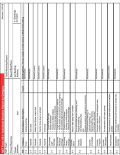
NET ICS Form 1b-2: Individual Situation Report by Dwelling This form is designed for double-sided printing. Designed by NET Radio Training Liaisons. 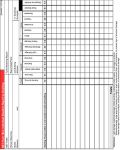
NET Form 1c: Team Situation Report with Totals
NET Form 1c: Team Situation Report with Totals Completed by: All volunteers Kit qty: 3+ Turned in to: Incident Team Leader CERT/ICS Form equivalent: None Last updated: 2022.09.29 Form 1c is not an alternative version of NET ICS Form 1: Damage Assessment, but an accessory. It can be used to:
- Consolidate the information from multiple individuals that have reported on Form 1b(s), creating a neighborhood-wide summary of the situation.
- Calculate a set of totals by category that can be reported by radio to the team’s regional subnet controller for forwarding the PBEM’s ECC.
The procedure for transmitting Form 1C is for a neighborhood ARO to contact a regional “subnet control”. The subnet control gathers information from all teams within a region and transmits that information to the ECC. With advance training and practice, reading a Form 1C to the subnet control is a faster process.
Documentation
- Detailed instructions on using Form 1B & 1C.
- Training video embeded on the right side of this page.
Video: Using Net Form 1C - Team Situation Report with Totals Form Description Thumbnail NET ICS Form 1c: Team Situation Report with Totals This form can be downloaded and printed, and it is also electronically fillable with Adobe Acrobat. Designed by NET Radio Training Liaisons. 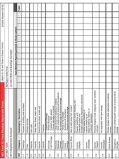
Layout Guide for Form 1c
Header:
A1-NET Team: Name of your NET Team. If your team is divided into sub-teams you can include that as well.
A2-Report Date/Time: The date and time will be important in assessing how current the information is.
A3-1-Neighborhood Surveyed: Use this box to record the name of a neighborhood if you report statistical information on a particular neighborhood. This is appropriate even if you have not yet surveyed the entire neighborhood.
(or) A3-2-Multi-unit Buildings Surveyed: Use this box to record the names of buildings reported on the form. If a building doesn't have a name, record its address.
Depending on the circumstances, you should fill in either the A3-1 or A3-2 but not both.
Rows 1.1 to 6.1: These rows correspond to the rows of Form 1b-1 and the columns of Form 1b-2.
Columns under "Team Members Reporting": One column should be used for each Form 1b you receive. If you are recording a Form 1b-1, record the Dwellings surveyed from the box on the upper right and the Counts in the count column. If your recording a Form 1b-2, record the Dwellings from the box in the upper right and the Totals from the bottom row.
Totals column: After you have finished recording Form 1b(s) for a particular time period, add up the rows and record the totals in the column on the right.
Once a Form 1c has been completed, the information in the header and the Totals column should be transmitted to PBEM ECC by one of your team's AROs via your team's regional subnet controller. AROs can download a voicing guide to Form 1c --> HERE. There is also an instructional video on using 1c on the air in the right margin of this page.
NET Form 2a: Personnel Check-In
NET Form 2a: Personnel Check-In Completed by: Documentation Unit Kit qty: 3 copies Turned in to: Documentation Unit CERT/ICS Form equivalent: CERT Form 2 Last updated: 2017.02.05 The Personnel Check-in form is used to record and track incoming CERT/NET volunteers as well as affiliated volunteers (e.g. ATVs) and SUVs at the NET Staging Area. This can be done by the scribe or a volunteer manager, but this is also an appropriate task for an SUV. It helps the NET ITL or the Logistics section understand:
- Who is on site
- When they arrived
- When/where they were assigned
- Personnel availability
SUVs should sign in with NET Form 2a just as regular NET volunteers and ATVs do.
A space is provided for an Assignment Tracking Number if a volunteer is given a field assignment with a tracking number from NET Form 4. If a volunteer works more than one assignment and the team uses tracking numbers for assignments, PBEM recommends checking a volunteer out of one assignment and then checking them in for the next assignment.
A special note on check out times: please be sure that all volunteers check out! A volunteer who does not check out is effectively “missing” and unaccounted for, which can lead to wasted time and resources locating the volunteer.
Form Description Thumbnail NET ICS Form 2a: Personnel Check-In PDF download options:
Standard NET ICS Form 2a. Use this form to sign in and sign out NET volunteers, SUVs, ATVs, and anyone else participating in a NET-managed command area. 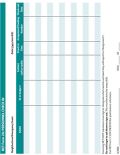
NET Form 2b: Spontaneous Volunteer Intake
NET Form 2b: Spontaneous Volunteer Intake Completed by: SUV Intake Kit qty: 30+ Turned in to: SUV Lead CERT/ICS Form equivalent: None Last updated: 2017.02.05 NETs track the arrival of spontaneous unaffiliated volunteers (SUVs) using NET Form 2a. However, in addition, NETs intake SUVs using this form. This form helps SUVs understand what may be expected of them during disaster response operations and helps protect the City from liability. It also guides the intake interview process for SUV Coordinators.
There are two sides to the form. The front side is a legal waiver and asks questions that will help a NET determine an SUV’s fitness for duty. The reverse side is a skills and resources assessment intended to help a NET match the SUV to an appropriate assignment.
Note that the front side of Form 2b includes personal information which the NET should protect carefully. Access to these completed forms should be limited and controlled (for example, stored in a locking box with the Documentation Unit).
There is no expectation that SUVs review and complete this form in the midst of conducting life safety operations and response. NETs should keep these forms at the command post and ask SUVs to complete the intake between assignments.
The verbiage used in the legal section of the intake form may read as intimidating to prospective SUVs. Inform SUVs that by signing they are not “signing away” rights or protections. The language is to inform SUVs they have no indemnification from the City of Portland, and they do not have this regardless whether they choose to sign.
Finally, this form has been designed for triplicate if printed on carbon paper. Printing on carbon paper is optional and not required for use.
Form Description Thumbnail NET ICS Form 2b: Spontaneous Volunteer Intake PDF download options:
Where possible, print each sheet double-sided. The SUV intake volunteer should use the form to guide interviews with SUVs, and ask prospective SUVs to read and sign the liability statement.
If printed on carbon paper for triplicate, the copy guide is along the bottom of the sheet.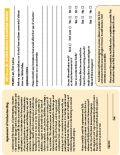
NET Form 3: Team Leader Assignment Tracking
NET Form 3: Team Leader Assignment Tracking Completed by: Incident Team Lead Kit qty: 5+ Turned in to: PBEM CERT/ICS Form equivalent: CERT Form 3 Last updated: 2017.02.05 NET Form 3 is a “dashboard” that the NET TL uses to track active field assignments; it is a tool to facilitate situational awareness.
When at a NET staging area, volunteers turn in their damage assessment forms (Form 1). The TL uses information from the collected assessment forms to make decisions on where to deploy resources. Form 3 summarizes and tracks where those resources go.
On the filled-out example of this form, note the two blanks circled in red; these are optional inputs. A tracking number may be assigned by a TL to an operation in order to associate that operation between forms. For example, a fire extinguisher may be checked out for operation 001. On the Equipment Inventory (Form 7), “001” is associated with that fire extinguisher as it is checked out and back in. Again, this is optional; it is intended to help keep the Staging Area personnel organized.
Also in the example the two functional teams are given their own designations (“Blue Team” and “Orange Team”). This is done to help prevent them getting mixed up over radio traffic. These designations are optional.
Again, this form is used as a dashboard for summarizing and tracking. The details of an assignment are placed on Form 4: Assignment Briefing.
Form Description Thumbnail NET ICS Form 3: Team Leader Assignment Tracking PDF download options:
The form is designed for double sided printing. Use this form to assemble a response picture from the Damage Assessment Forms handed into the ITL. 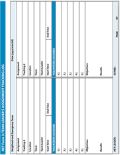
NET Form 4: Assignment Briefing
NET Form 4: Assignment Briefing Completed by: Incident Team Lead and Functional Team Lead Kit qty: 15+ Turned in to: Incident Team Lead CERT/ICS Form equivalent: CERT Form 4a and 4b Last updated: 2017.02.05 The purpose of NET Form 4 is to provide a functional team with relevant information about their mission, and to provide a space to record details of mission results for the ITL and professional responders.
Using information from NET Form 3, the ITL fills out Form 4 as completely as possible. Over the course of an operation, a scribe records the relevant decisions and actions of the NET on the reverse side. When the operation is concluded, the completed form is turned in to the Team Leader.
Completed Assignment Briefings become part of the documentation that the NET relays to the ECC and/or professional emergency responders.
Form Description Thumbnail NET ICS Form 4: Assignment Briefing PDF download options:
This form should be printed double sided whenever possible. This will ensure that the mission briefing and mission outcomes are kept together. 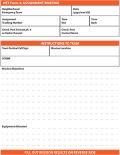
NET Form 5a: Patient Treatment Area Record
NET Form 5a: Patient Treatment Area Record Completed by: Medical Treatment Area Manager Kit qty: 5+ Turned in to: Documentation Unit CERT/ICS Form equivalent: CERT Form 5 Last updated: 2017.02.05 The Patient Treatment Area Record is a specialized form intended to track the condition of patients placed in a patient treatment area. It is filled out by a volunteer (CERT/NET or SUV) detailed to supervise the treatment area. Completed Treatment Area Records are turned in to the Documentation Unit.
This form does not allow for a great deal of detail on victims’ conditions. This is acceptable for an immediate, short-term response when the presumption that emergency medical response will soon be en route. However, if volunteers anticipate that professional responders will not be available for some time, a designated volunteer should consider tracking treatment area patients using this form as a "dashboard" while tracking the condition of individual patients using Form 5b: Individual Treatment Record.
Form Description Thumbnail NET ICS Form 5a: Patient Treatment Area Record PDF download options:
The form is designed to be printed double-sided. 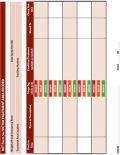
NET Form 5b: Individual Treatment Record
NET Form 5b: Individual Treatment Record Completed by: Medical Treatment Specialist Kit qty: 30+ Turned in to: Documentation Unit OR kept with patient CERT/ICS Form equivalent: None Last updated: 2017.02.05 The Individual Treatment Record is a specialized form intended to track the specific observations and treatments provided to an individual patient place in a patient treatment area. It is filled out by the volunteer(s) (CERT/NET or ATV/SUV) detailed to provide individual care. Completed treatment records should go with the individual when they move to a higher level of care (e.g. fold it up and put it in their pocket); if possible, a copy should be made and turned in to the Documentation Unit. The form is designed to be used by volunteers with basic medical training. It has two major purposes:
- The form serves as a guide to structure the initial examination of the patient and the gathering of relevant medical information.
- The form serves as a record of the findings discovered, the observations made, and the treatments provided by the volunteer medical personnel. This information is critical for medical personnel that may receive the patient later in the process.
Use as many pages as necessary to document findings for each patient.
Video: Marcel Rodriguez (the NET and Wilderness Responder who designed the form) explains how to complete 5b. Form Description Thumbnail NET ICS Form 5b: Individual Treatment Record PDF download options:
This form should invariably be printed double-sided. This form was designed by Marcel Rodriguez (Arnold Creek NET) for Portland NET. 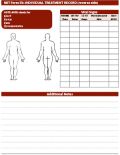
NET Form 6: Communications Log
NET Form 6: Communications Log Completed by: Communications Section Kit qty: 5+ Turned in to: Documentation Unit CERT/ICS Form equivalent: CERT Form 6 Last updated: 2022.09.29 The Communication Log tracks significant radio activity for each radio at a particular location. Logged activities should include:
- When the operator checks into or out of a net.
- When the operator reads a NET Form 8 to another operator or transcribes one being read by another operator. When such a message is logged, the tactical call sign of the person reading the message should be placed in the From field and the tactical call sign of the person receiving and transcribing the message should be placed in the To field. Information from the Form 8 should be placed in the right-hand field as described in the column header.
- When the operator changes frequency.
- When operator and logger changes with name and callsign of new person.
- When the operator takes more than a 10 minute break.
- Any significant event involving operation of this radio.
- When the operator goes off the air.
Form Description Thumbnail NET ICS Form 6: Communications Log PDF download options:
This can be printed single sided or double sided. Referring to the list of downloads to the left: the first on the list is the first two pages of a log, which can be printed front/back on one sheet. The second download is for the third page and any page after; they can also be printed on one page front/back. 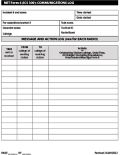
NET Form 7: Equipment Inventory
NET Form 7: Equipment Inventory Completed by: Equipment Unit Kit qty: 5+ Turned in to: Documentation Unit CERT/ICS Form equivalent: CERT Form 7 (from ICS 303) Last updated: 2017.02.05 If a team has a sizeable equipment cache, PBEM recommends using this form to track team resources as they are checked out and checked back in. This is particularly true of major assets, such as a SKED or radio set.
Consider delegating equipment responsibilities to a designated NET volunteer, or even an SUV. The forms should be kept with the equipment cache, and turned in to the Logistics section when completed.
Like tracking numbers, Asset Numbers are purely optional. If a team wishes to use asset numbers to help track tools and supplies, space is provided.
Form Description Thumbnail NET ICS Form 7: Equipment Inventory This form is designed for double sided printing. 
NET Form 8: General Message
NET Form 8: General Message Completed by: Any volunteer/response participant Kit qty: 3+ Turned in to: Recipient/Sender CERT/ICS Form equivalent: FEMA ICS Form 213 Last updated: 2022.09.29 These forms are used by teams to communicate with the Portland ECC and other teams. For example, if a NET ITL for a particular team wished to ask a question to the NET Coordinator at the ECC, they would put the question on a Form 8 and pass it to the team's ARO. The ARO would notify their subnet control operator of the need to route the Form 8 message as well as precedence of the message. When the control operator gives the "go-ahead" the ARO would read the message and the control operator would transcribe it. The control operator would then route the message to the ECC radio room. When a reply becomes available, the radio room would route it back to the subnet control operator for delivery to the originating team's ARO, who would pass it to the team's ITL.
The person filling out the form should assign a precedence by inserting one of the following words or phrases at the beginning of the subject line followed by a colon.
- Emergency
- Priority
- Health & Welfare
- Routine
..........Main article: Message Precedence
Ultimately, the ITL is responsible for the content and precedence of the Form 8. If they choose to delegate that task, the ITL should approve the form before passing it to the ARO for sending it on.
These forms are simple; the format makes completing them self-explanatory. However, volunteers should practice composing messages easy and quick to read over the air. For example, you should never recite Shakespeare's Hamlet over the air on amateur radio. But you could write the following message for the ARO to recite:
"Health & Welfare: Hamlet saw his dead dad's ghost, pretended to go crazy with revenge, actually went crazy with revenge, everyone dead. Over."
Form Description Thumbnail NET ICS Form 8: General Message The benefit of this format is that it lays out the text so AROs, particularly regional subnet control operators, can easily and quickly transmit an email message over amateur radio using Winlink. 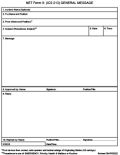
FEMA ICS Form 213 The original FEMA ICS 213; this version is fillable electronically. Also includes completion instructions on the reverse side. 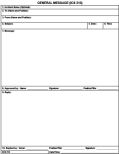
NET ICS Form 8: General Message (old version)
Retired 2022.09.29. This is an obsolete NET version, but available for those preferring this format. This form must be printed double-sided and cut in half. The initial message is written on the front with the response written on the reverse side. 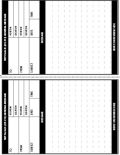
...
NET Versions of ICS Forms
Experimental NET Version of ICS 201 Incident Briefing
This is a form that can either be filled in with paper or pencil or filled in using Adobe Acrobat Reader. The org chart on page 3 has been customized to be useful to NET Incident Team Leaders.
This form was used as a Shift Report (or Operational Period Report) in the Fall 2024 Citywide Deployment Exercise. At the top of the exercise, the team received a completed ICS 201, ostensibly from the (simulated) previous shift. At the end of the exercise, the team completed its own ICS 201, to inform the (hypothetical) incoming shift. This use of the form was helpful, but still in development.
Instructions for NET Version of ICS 201 Portland
Experimental NET Version of ICS 214 Unit Log
This is a form that can either be filled in with paper or pencil or filled in using Adobe Acrobat Reader. It can be used by NET Subnet Controllers and other radio operators who want to log their activities separately from their formal traffic. When this form is used, sending and receiving NET Form 8 should still be logged on NET Form 6. It is the same or similar to the ICS 214 used by Multnomah Count ARES.
Instructions for NET version of ICS Form 214 Unit Log
NET Incident Command System (ICS) Forms Frequently Asked Questions (FAQs)
Q: Do I need to have a copy of every ICS form in my kit?
A: No. You should have copies of forms only relevant to your position on the NET. Every NET volunteer should keep three copies of NET Form 1 and it's not a bad idea to have a couple copies of NET Form 8 as well. You only need the other forms if they're relevant to your position. For example, if you're the Team ARO, you should have several copies of NET Form 6. If you're going to do any medical treatment, you should have a few copies of NET Forms 5a and 5b, and so on.
Q: Will PBEM print copies for me of a response form not on this page?
A: Yes, probably. On the bottom of the Request Page is an option to upload files. Simply ask your Team Leader to upload what you want printed there.


