Speakers Bureau: Difference between revisions
GlennDevitt (talk | contribs) Add A/V section |
GlennDevitt (talk | contribs) mNo edit summary |
||
| Line 27: | Line 27: | ||
#* '''If the event is in your neighborhood''', and the details in the description sound appealing to you, sign up and it’s yours! No one else will be able to sign up after you claim the event. So please '''''read the assignment details carefully and double-check your schedule first'''''. Because PBEM does not want to drop the ball on public events, '''you cannot cancel a Speakers Bureau sign-up in MIP yourself'''. You must [[Mailto:net@portlandoregon.gov?subject=Speakers%20Bureau%20Cancelation email PBEM]] so that we know to re-fill your slot. | #* '''If the event is in your neighborhood''', and the details in the description sound appealing to you, sign up and it’s yours! No one else will be able to sign up after you claim the event. So please '''''read the assignment details carefully and double-check your schedule first'''''. Because PBEM does not want to drop the ball on public events, '''you cannot cancel a Speakers Bureau sign-up in MIP yourself'''. You must [[Mailto:net@portlandoregon.gov?subject=Speakers%20Bureau%20Cancelation email PBEM]] so that we know to re-fill your slot. | ||
#* '''If the event is ''not'' in your neighborhood, and there is a Speakers Bureau member in that neighborhood ([[Speakers Bureau#List of Neighborhoods with Speakers Bureau Members|list below]]),''' please wait a couple of days before claiming it, so that a local volunteer has first dibs. We want neighbors educating neighbors when possible, because this is a great way to recruit NETs and ATVs for your local team. | #* '''If the event is ''not'' in your neighborhood, and there is a Speakers Bureau member in that neighborhood ([[Speakers Bureau#List of Neighborhoods with Speakers Bureau Members|list below]]),''' please wait a couple of days before claiming it, so that a local volunteer has first dibs. We want neighbors educating neighbors when possible, because this is a great way to recruit NETs and ATVs for your local team. | ||
# '''After you sign up for a gig, the description in MIP will include additional information.''' You, and only you, will now be able to see the name, phone number, and email information for the event organizer. Please '''contact them directly''' to finalize arrangements, including slide display technology (see Audio/Visual Support). You also will see the full address of the presentation location they submitted. | # '''After you sign up for a gig, the description in MIP will include additional information.''' You, and only you, will now be able to see the name, phone number, and email information for the event organizer. Please '''contact them directly''' to finalize arrangements, including slide display technology (see [[Speakers Bureau#Audio/Visual Support|Audio/Visual Support]]). You also will see the full address of the presentation location they submitted. | ||
# Request PocketPreps and other handout materials if you don't already have enough: https://pbem.link/pbemevent | # Request PocketPreps and other handout materials if you don't already have enough: https://pbem.link/pbemevent | ||
| Line 49: | Line 49: | ||
'''Projector:''' PBEM has an ancient projector, which does not plug in to most modern laptops. Not recommended. | '''Projector:''' PBEM has an ancient projector, which does not plug in to most modern laptops. Not recommended. | ||
=== Amplified Sound === | |||
Typically, venues that host large groups (>30 people) have a microphone and speaker setup. If not, PBEM has a portable speaker system; please note that it is a bit heavy, and you must come by the PBEM office to be trained how to use it. | |||
== Speakers Bureau Intra-group Communication Tool == | == Speakers Bureau Intra-group Communication Tool == | ||
Revision as of 15:19, 4 March 2025
Volunteer Support Function (VSF) 14.03: CRD Public Outreach
Members of the Speakers Bureau are trained to deliver the 60-75 minute presentation Emergency Preparation for You, Your Family, and Your Community. Sometimes the session is referred to as 'emergency prep 101'. We provide this educational format to the public, nonprofit organizations, and other City bureaus and partners virtually and in person. It requires 75 minutes.
Who qualifies?
Typically, Active NETs are preferred based on their training in emergency preparedness and response, but other members of the community are eligible.
Training
Two-hour train-the-trainer (TTT) sessions are announced in the PBEM Volunteer Bulletin periodically, and added to MIP Opportunities > Advanced Training.
After attending a training, you will be provided with a link to the Speakers Bureau application form. If accepted, you will receive notifications when new Speakers Bureau events are posted for Speakers to sign up.
The Slides
The presentation is provided in PowerPoint or PDF format to volunteers who are designated as members of the Speakers Bureau. To maintain an excellent standard of public education, PBEM must train and qualify presenters. The PowerPoint slides are not distributed beyond the Speakers Bureau group.
Modifying the Presentation Content
Speakers Bureau members may not modify the presentation content, which has evolved over a decade and based on many, many presentations to various audiences. We understand that some volunteers may wish to present different or additional information outside the scope of the Speakers Bureau presentation. However, the goal of this program is to effectively deliver these specific topics and knowledge to the public, as advertised. Therefore, modifying the format is not acceptable, in order to maintain consistency and quality. If you want to do your own thing separately, of course you may, but it cannot be for Speakers Bureau gigs.
Content Updates
Science and circumstances evolve, and information included in the presentation might change. When that happens, PBEM will publish a revised slide deck for Speakers Bureau members, and list the changes.
The Speakers Bureau Deployment Process
- An organization or group of neighbors requests a presentation for 8 or more people through our online form at https://pbem.link/eprep
- After PBEM vets the request, it is added in MIP under Opportunities > Speakers Bureau. Only volunteers qualified to sign up for these opportunities will see these. When we add a batch of events, notification will be sent to Speakers Bureau members, and you can simply check MIP periodically.
- Decide if you will take the event:
- If the event is in your neighborhood, and the details in the description sound appealing to you, sign up and it’s yours! No one else will be able to sign up after you claim the event. So please read the assignment details carefully and double-check your schedule first. Because PBEM does not want to drop the ball on public events, you cannot cancel a Speakers Bureau sign-up in MIP yourself. You must [email PBEM] so that we know to re-fill your slot.
- If the event is not in your neighborhood, and there is a Speakers Bureau member in that neighborhood (list below), please wait a couple of days before claiming it, so that a local volunteer has first dibs. We want neighbors educating neighbors when possible, because this is a great way to recruit NETs and ATVs for your local team.
- After you sign up for a gig, the description in MIP will include additional information. You, and only you, will now be able to see the name, phone number, and email information for the event organizer. Please contact them directly to finalize arrangements, including slide display technology (see Audio/Visual Support). You also will see the full address of the presentation location they submitted.
- Request PocketPreps and other handout materials if you don't already have enough: https://pbem.link/pbemevent
After a Presentation
- Send a note or email to the organizer thanking them for inviting you. Include any supplemental information that you promised during your presentation.
- Log your time in MIP.
- Log your event using this form so that it is counted in the Community Outreach Tracking Dashboard.
- Unless there are privacy concerns, send great event photos to net@portlandoregon.gov for posting on the NET Tumblr! Include date and location.
Audio/Visual Support
Ensure that you and your host know what capability you will have for presenting your slides in advance!
Laptop for PowerPoint Slides
Speakers Bureau members are expected to use their own laptop or other device to run the PowerPoint slideshow. PBEM does not have computers to loan.
Slide Display from Your Laptop
Screencast/Chromecast/AirPlay: The current technology for connecting your device to a TV/monitor requires no cables, instead using wifi or Bluetooth. This capability is built in to current versions of Windows, Apple, and Android devices.
HDMI: Most modern devices, both laptops and TVs, have a physical HDMI port. If this is the capability your host has, we suggest taking your own HDMI cable, rather than relying on one being availible.
Projector: PBEM has an ancient projector, which does not plug in to most modern laptops. Not recommended.
Amplified Sound
Typically, venues that host large groups (>30 people) have a microphone and speaker setup. If not, PBEM has a portable speaker system; please note that it is a bit heavy, and you must come by the PBEM office to be trained how to use it.
Speakers Bureau Intra-group Communication Tool
Members of the Speakers Bureau may use the 'Committee' communication tool in MIP to send an email directly to all other members of the group. Suggested uses include seeking a co-presenter, and asking advice about handling a challenging question or audience. Your identity and email are not revealed to other Members; a person will only receive your email address if you reply to a message they have sent.
To message the group, in MIP go to your Contact tab, and compose your message.
Additional Presentation Topics and Tools
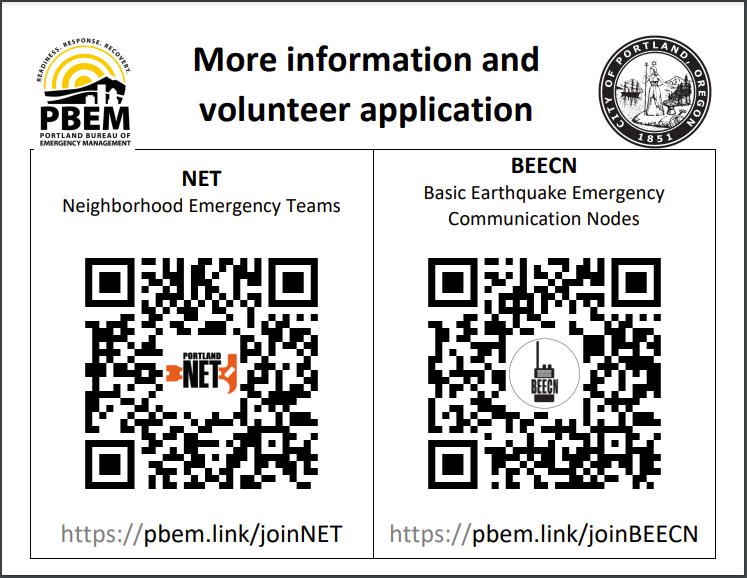
Printable page with QR codes for joining NET/BEECN
Printed Community Handout Materials
Portland Preparedness Background Information - A sort of FAQ for Speakers.
In the future, additional specific presentations might be offered such as Heat Illness Prevention, Disaster Sanitation, and Sheltering in Place.
List of Neighborhoods with Speakers Bureau Members
Updated 2025.03.04
- Centennial
- Collins View
- Eliot
- Foster-Powell
- Hayhurst
- Hillsdale
- Hillsdale
- Homestead
- Irvington
- Laurelhurst
- Madison South
- Maplewood
- Mt. Scott-Arleta
- Mt. Tabor
- Multnomah
- North Tabor
- Northwest District
- Parkrose
- Reed
- Rose City Park
- Sellwood-Moreland
- St. Johns
- Woodstock